Table of Contents
Over the past 15+ years, I have worked closely with various remote software development teams across a wide range of projects. During that time, I’ve realised that a simplified issue board is more than just a project management tool; it plays a pivotal role not just in the project’s progress, but more importantly, in the morale of the team.
Your issue board says a lot about your management style. You might strictly adhere to an Agile or Kanban framework, or perhaps you’ve built a custom system that fits your specific organisational culture and requirements. There are no right or wrong approaches, as long as you hit your deadlines, the team is happy, the project is secure, and your stakeholders are satisfied.
The goal should be to structure your board so it is simple to follow and easy to engage with. For remote and distributed teams, minimising the mental friction required to move a task forward is essential. A simplified issue board allows everyone to understand the status at a glance, without overthinking, which is the best possible outcome for your team and stakeholders.
The Issue Board Pyramid
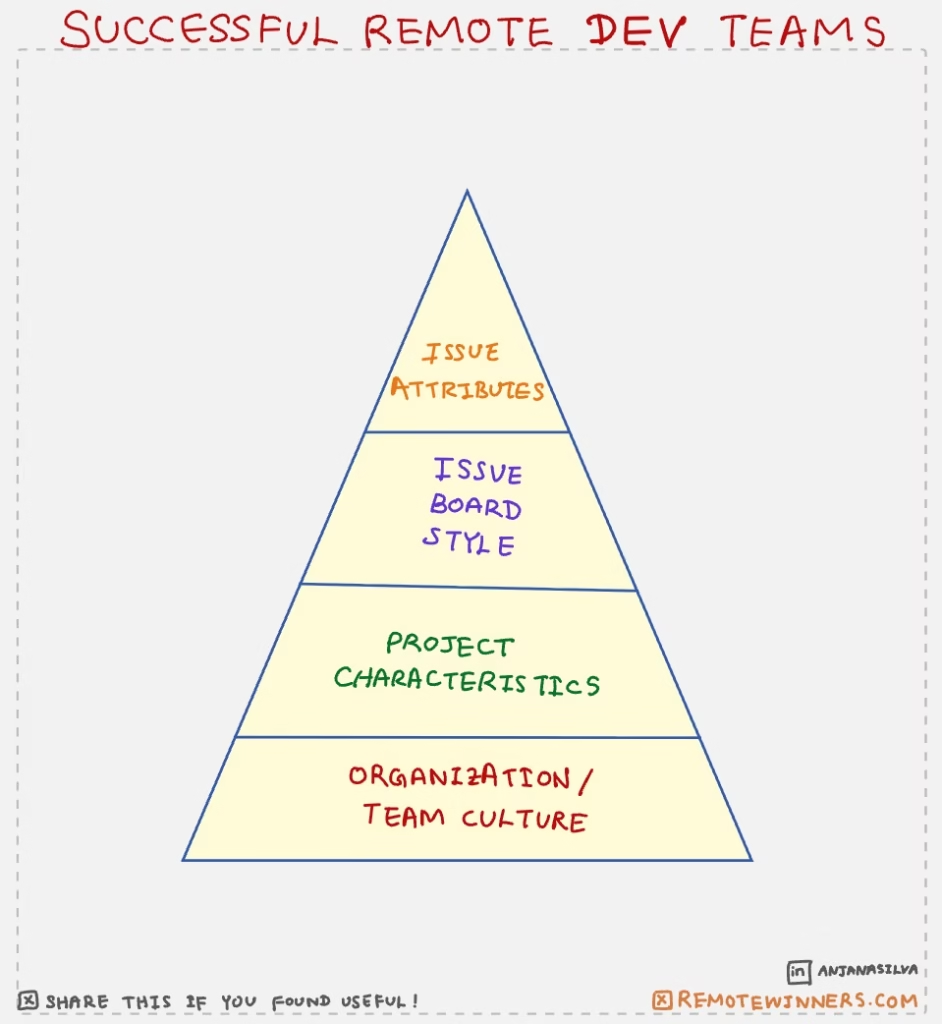
Before defining your board, I suggest visualising the process as a “Pyramid of Facts.” In this model, each layer serves as the foundation for the one above it. As illustrated, Organisation/Team Culture is the base as it matters most. From there, you layer on the Project Characteristics, followed by your Issue Board Style, and finally, the specific Issue Attributes (such as smart attributes).
The Proposed Column Structure
To keep your simplified issue board effective, I recommend the following layout. Note: This assumes a standard workflow with at least two pre-production environments: Development and Staging.
📖 Open
Tickets that are on the horizon for the near future, but not necessarily the current release.
Pro-Tip: If a ticket stays here for more than two sprints, move it back to the general backlog. This keeps your board focused only on what is truly next.
📋 To-Do
Committed tickets for your current release or sprint.
Pro-Tip: Rank these vertically by priority. The team should always pick the top ticket first to ensure high-value features are finished earliest.
🖋️ Doing
Active tasks are currently being coded.
Pro-Tip: Limit “Work in Progress” (WIP). Ideally, a developer should only have one ticket in this column at a time to prevent context switching.
⛔ Blocked
Tickets are stuck due to external dependencies or are awaiting feedback.
Pro-Tip: Always add a comment explaining why it is blocked and tag the person responsible for unblocking it. Communication is key for distributed teams.
🌴 Review / Awaiting Merge
Completed tasks awaiting a Pull Request (PR) or merge approval.
Pro-Tip: Set a “Review SLA.” In remote teams, PRs should ideally be reviewed within 24 hours to prevent this column from becoming a bottleneck.
🧪 Dev Testing
Tickets were deployed to the Development environment for initial verification.
Pro-Tip: Use this stage to record a quick Loom or screen recording or a simple screenshot of the feature. It’s an easy way to show progress to stakeholders without a meeting.
🔬 Stage Testing (UAT)
Tickets in the Staging environment for final User Acceptance Testing.
Pro-Tip: This is the “Point of No Return.” Ensure the acceptance criteria are strictly checked here by someone other than the person who wrote the code.
🎙️ Live Testing
A temporary home for tickets during the release cycle to test a ticket on the production environment.
Pro-Tip: Only move tickets here during the actual deployment window. Ideally, this column should only ever feature less than 2-3 tickets during the cycle.
✅ Closed
The finish line for successfully deployed tickets.
Pro-Tip: Use the items moved here during your sprint retrospective to celebrate the team’s velocity and wins.
Additional
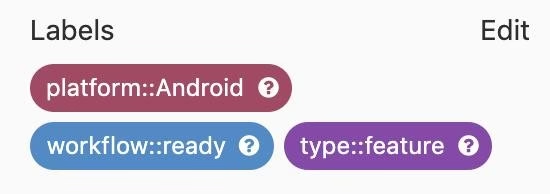
It is also worth noting that modern issue boards offer powerful features like custom labels, story points (weighting), and scoped labels (a standout feature in GitLab). These “smart attributes” allow you to categorise and prioritise work without adding manual overhead.
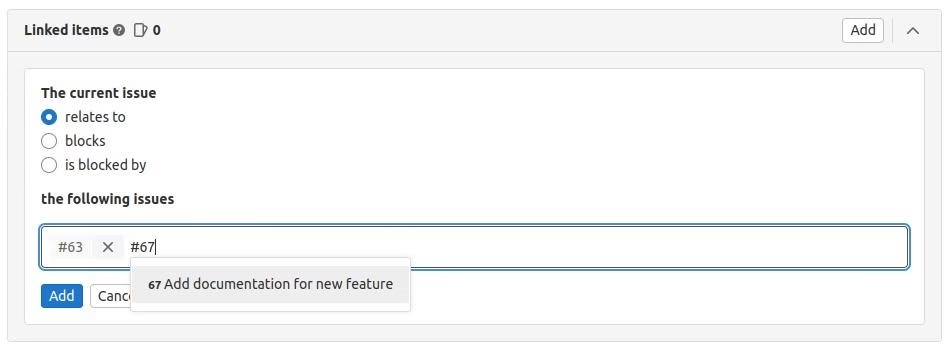
Furthermore, you can link related issues to create a clear map of dependencies. By explicitly marking tickets as “related to,” “blocking,” or “blocked by,” you provide the team with immediate visibility into potential bottlenecks. In a remote environment, these links act as a silent coordinator, ensuring everyone understands how their work impacts the rest of the project without needing a status meeting.
In a Nutshell
In a remote world, your issue board is more than a list of tasks. It’s your team’s most frequent point of contact with the project. By implementing this simplified issue board structure, you remove the guesswork from the daily workflow. This allows your developers to spend less time managing tickets and more time solving technical problems.
The goal isn’t to have the most complex board in the industry; it’s to have a board that empowers your team to ship quality code with confidence. Start with the culture at the base of your pyramid, keep your columns lean, and watch your team’s morale and velocity climb.
If you enjoyed this post, you may like my article about 🔗 8 Powerful Todoist Strategies to Organise Your Tasks.
🎯 Need Expert Help?
If you’re facing challenges with remote work, I offer 1:1 coaching and tailored support to help you succeed at remote setup. Whether you’re just starting out, growing as a remote contributor, leading a team, or launching a remote-first start-up, Remote Winners offers targeted 1:1 coaching to help you thrive in a distributed world. We also provide tech consultancy services—from idea-to-product guidance to cloud deployment and cybersecurity reviews—to help organisations strengthen their technology and processes.
If you are unsure where to begin, drop us a message and we’ll be in touch.