We often discuss how to gain optimum productivity using various apps and tools while working from home. We seldom enquire about ergonomic peripherals that benefit our long-term health, which is crucial to productivity in every aspect of our lives.
I have previously written about ‘The Essential Remote Work Movement Guide: Simple Resets for Your Body and Mind‘, in which I discuss how to stay mobile while working from home. In this article, I am sharing the 3 key additions I have been using for some time that help me continue working remotely effectively and in a healthy way.
Note: I am not a medical expert. Always seek medical advice before making any lifestyle changes. Some of the links below are affiliate links. If you make a purchase through them, I may earn a small commission, at no extra cost to you. The products I share below are the ones I personally use.
Standing Desk
After careful research and thought, I decided to buy a standing desk around July 2025, and it is the best addition I have made to my work-from-home setup. There is a wide range of standing desks on the market. The following are the key things to look out for before buying a standing desk:
- Dimensions
- Max weight
- Height adjustability
- Smart panel (height display, quick height setting buttons, USB charger, etc)
I alternate between standing and sitting whenever I want. During meetings, standing feels much more natural. Similarly, when you want to focus on something, sitting seems to be the body’s natural inclination. When I come back from a run and want to check emails and chats before going for a shower, I stand and do.
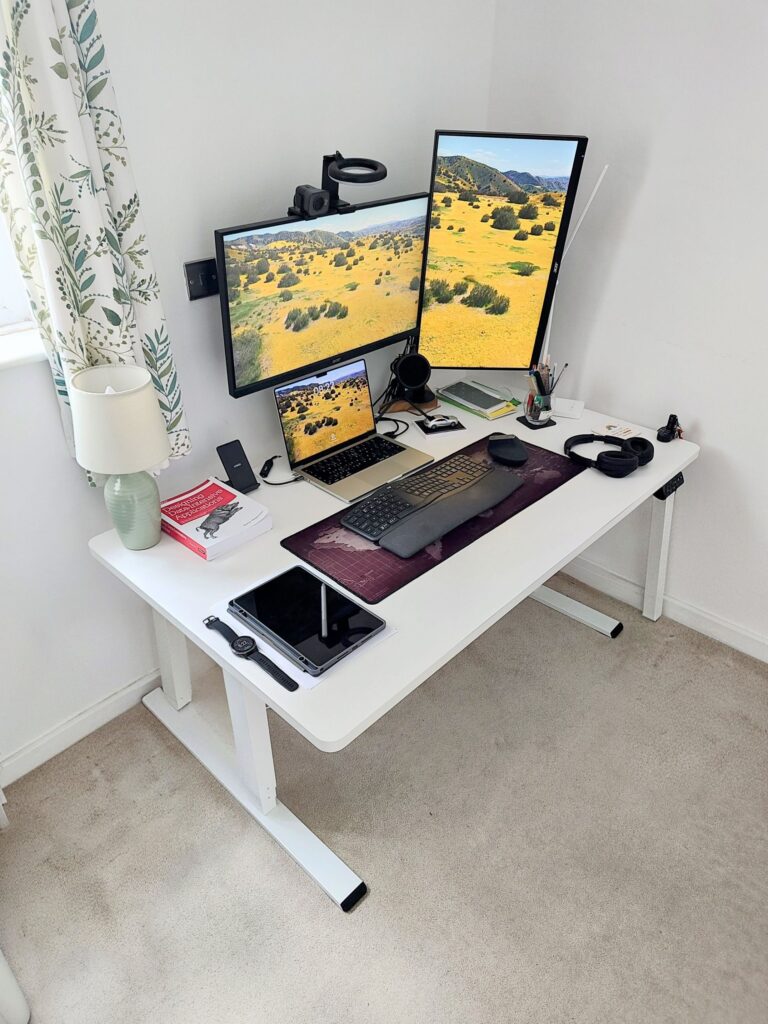
How frequently or on what occasion to stand or sit is entirely up to you and what feels natural to you. Being able to switch between standing and sitting without distraction is something your body (especially your back) will thank you for in years to come.
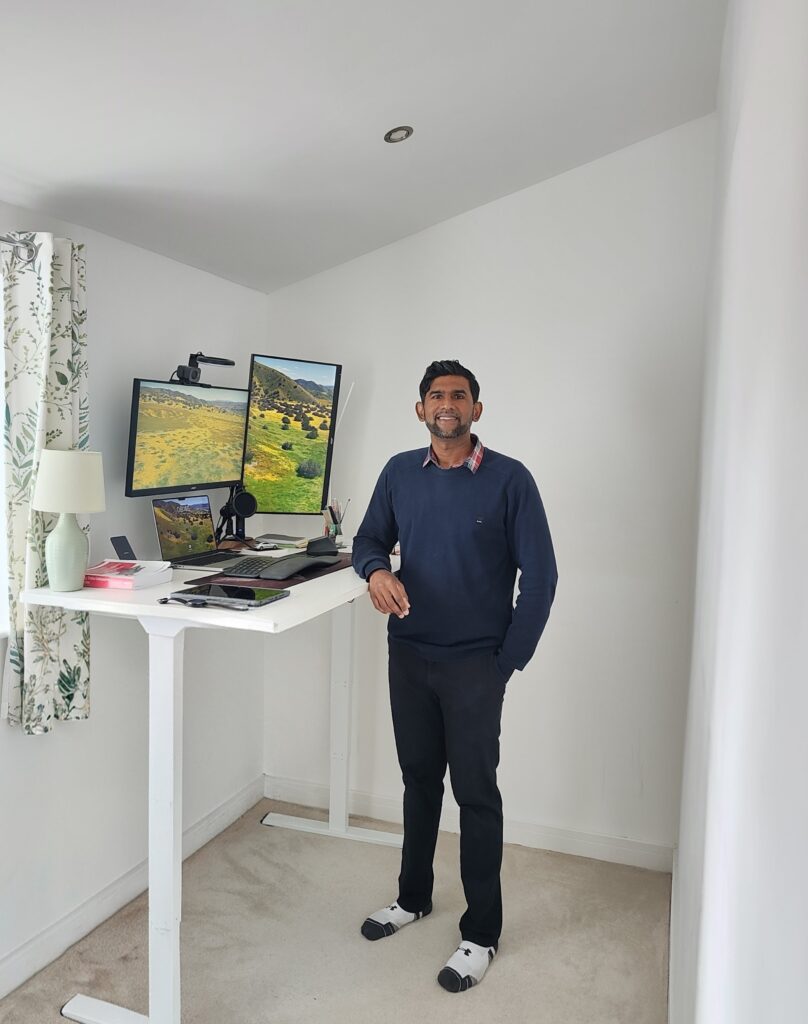
The one I use is Flexispot E6 MAX – https://amzn.to/4eQJaAV, and I never looked back.
Vertical Mouse
I did not realise how effective a vertical mouse is until I finally decided to buy one. I had been getting a slight pain around my right thumb for some time. I usually spend around 40 hours a week in front of my computer, and I also play Cricket during the summer months. Therefore, I am not entirely sure which caused the pain in my thumb in the first place.
After a fair bit of research, I found out about Logitech’s MX Vertical series, and I am extremely happy I decided to buy one back in September 2025. When you have used a standard mouse for years, changing to a vertical mouse at first feels like a challenge. However, the more you use it, the more you appreciate its ergonomics.
You can even customise various buttons on the mouse, and instantly switch between 3 devices with just a press of a button (if you use more than one computer or laptop). The mouse supports both Mac and Windows well. I am pleased to say, the pain in my right thumb seems to have eased.
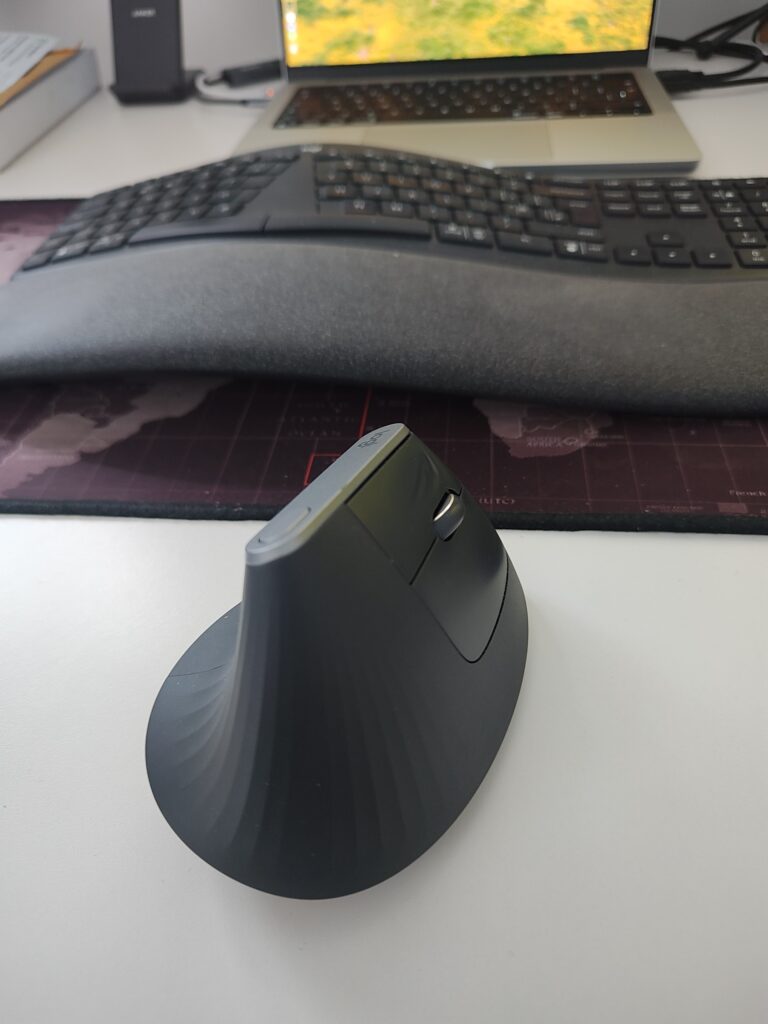
Logitech’s MX Vertical series – https://amzn.to/436q56p
Split Ergonomic Keyboard
There are plenty of ergonomic keyboards on the market. This particular one I want to give a shoutout to is the Logitech K860 Wireless keyboard. Unlike with the mouse, there wasn’t an immediate reason for me to switch to an ergonomic keyboard. I came across it while doing some research into ergonomic additions to a work-from-home setup. I am glad I bought this back in September 2025.
If you find a vertical mouse a challenge, using a split ergonomic keyboard such as the Logitech K860 can be even more of a challenge compared to a standard keyboard. I initially thought I had made a mistake by investing in a split keyboard. Despite my hesitation, I thought to myself I would give it a go for a few days. To my complete surprise, it only took me a week to get used to it, and I am glad I didn’t send the keyboard back.
The angle the split keyboard offers with the raised wrist support works really well. Once you get used to it, typing feels completely effortless. My wrists and fingers rest naturally on this keyboard layout. Similar to the Logitech MX Vertical mouse, the keyboard supports up to 3 devices and works well on Mac and Windows.
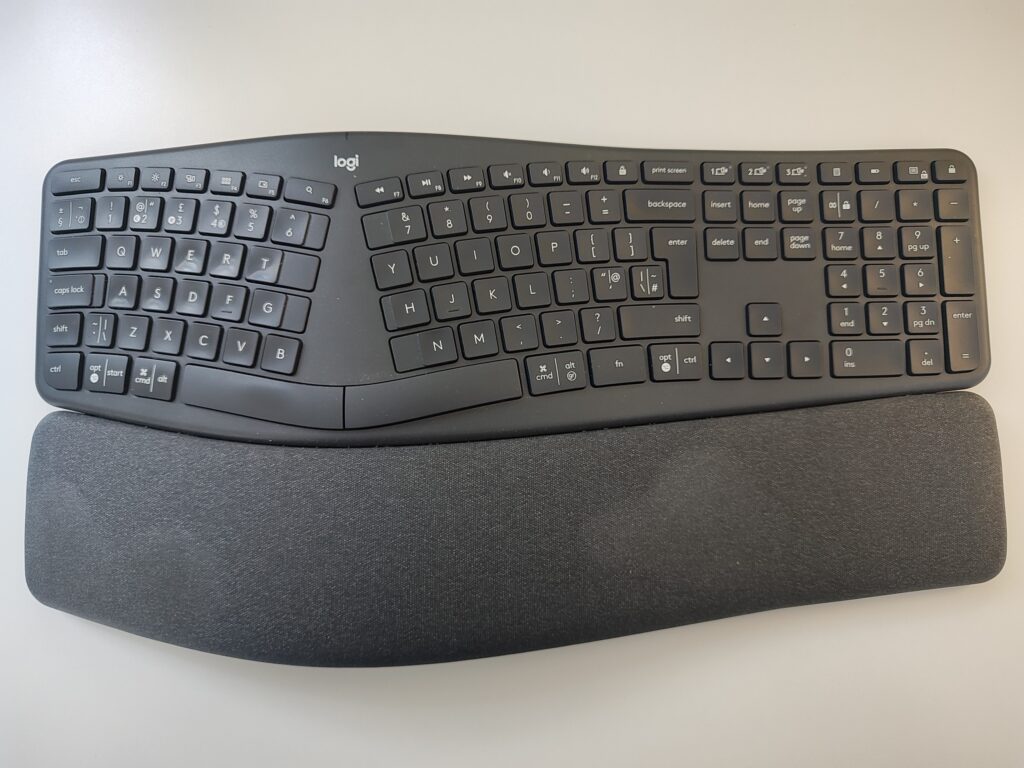
Logitech K860 – https://amzn.to/4ntfhc5
In a Nutshell
Ergonomic peripherals are not a fashion or trend anymore, especially as more and more people are opting to work remotely. At the same time, ergonomic additions might not be suited to everybody. For example, after trying a kneeling chair, I found that it is not for me.
The premise remote workers need to bear in mind is that when you are working from home, the amount of movement and steps you take each day can drop significantly if you’re not mindful of it. The above additions helped me create a surrounding where I can still move when I am physically stationed at my home office and reduce stiffness and discomfort while using the keyboard and mouse.
Therefore, no matter where you are based or what you do, always try to build habits into your daily routine to stay focused without compromising your long-term health. I hope you enjoyed this post. Share this article with a friend or relative if you found it helpful.
Frequently Asked Questions
Is a standing desk worth it for working from home?
Yes, particularly for long-term health. Being able to alternate between sitting and standing throughout the day reduces prolonged sedentary periods, which can contribute to back pain and stiffness over time. A standing desk is one of the most impactful additions you can make to an ergonomic home office setup.
What is the best ergonomic mouse for remote workers?
This depends on your hand size and working style, but a vertical mouse is widely recommended for reducing strain on the wrist and thumb. The Logitech MX Vertical is a strong choice — it supports multiple devices, works across Mac and Windows, and offers a natural handshake grip position.
Do I need an ergonomic keyboard if I already have an ergonomic mouse?
Not necessarily, but the two work well together. A split ergonomic keyboard encourages a more natural wrist angle and can reduce tension across the hands and forearms, especially during extended typing sessions. If you spend several hours a day at a keyboard, it is worth considering.